One Book, Five Screens: The Quiet Tech Revolution Keeping Americans in Their Reading Flow
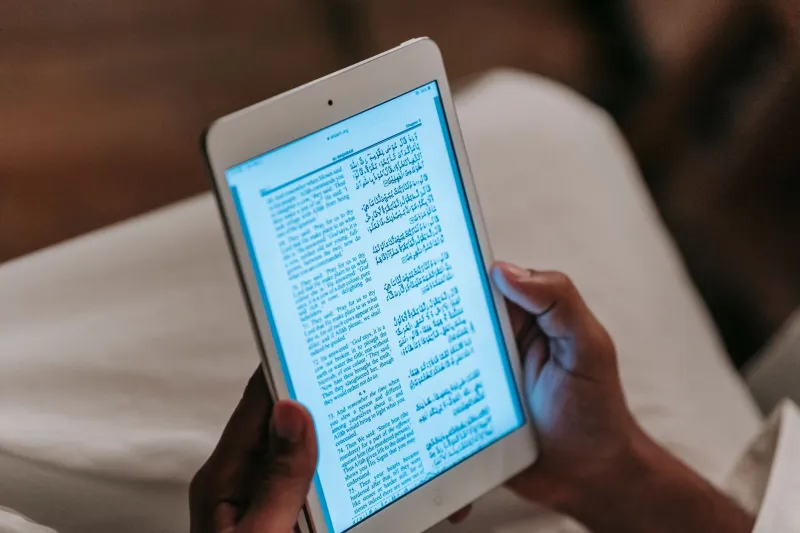
Let's paint a picture that probably sounds familiar. You're on the subway heading into work, burning through a chapter of whatever thriller has you hooked this month. You get to your desk, and your phone goes face-down in a drawer. At lunch, you grab your iPad, open the same book, and — without touching a single button — you're exactly where you stopped. Same page. Same highlighted passage you marked on the train. Same little sticky note you left yourself about a character you didn't trust.
This isn't magic. It's syncing. And it's quietly become the single biggest reason Americans have gone all-in on digital reading.
Why 'Read Anywhere' Is More Than a Marketing Slogan
For a long time, the knock on e-books was that they felt disposable — no physical presence, no sense of ownership, no dog-eared pages to prove you'd been somewhere in the story. But cross-device syncing flipped that argument on its head. Your reading life isn't scattered across five gadgets. It's unified, portable, and waiting for you wherever you happen to be.
According to data from Pew Research, more than a third of American adults read e-books regularly, and a significant chunk of those readers use more than one device to do it. The behavior has a name in UX circles: context switching. You're not starting over every time you pick up a new screen. You're just continuing.
That continuity — that feeling that your book travels with you — has fundamentally rewired how people think about reading time. Fifteen minutes in a waiting room counts now. A quick chapter during a lunch break counts. Reading has gone from a dedicated, sit-down activity to something woven into the gaps of the day.
How the Big Platforms Actually Pull This Off
Under the hood, cross-device syncing relies on cloud infrastructure that's constantly talking between your devices and a central server. Here's how the major players handle it:
Amazon Kindle is probably the most mature syncing ecosystem out there. Every Kindle device and the Kindle app — available on iOS, Android, Mac, PC, and the web — reports your reading position, highlights, and notes back to Amazon's servers in near real-time. The feature is called Whispersync, and it's been around since 2008, which in tech years makes it practically ancient. When you open the book on a new device, it pings the server, grabs the latest position data, and asks if you want to jump to where you left off. It also syncs your entire annotation history, so the margin note you made on your Kindle Paperwhite at 11pm shows up in the iPhone app the next morning.
Apple Books takes a slightly different architectural approach, running its sync through iCloud. That makes it seamlessly integrated if you live inside the Apple ecosystem — iPhone, iPad, Mac, even Vision Pro if you're feeling futuristic — but it does mean Android users are out of the picture entirely. Apple Books syncs reading position, bookmarks, and highlights, though its annotation tools are a bit more limited than Kindle's. The upside is speed: because iCloud is deeply baked into the OS, sync often feels instantaneous.
Kobo, which has a strong following among readers who prefer a more indie-friendly alternative to Amazon, uses its own cloud sync system tied to your Kobo account. Kobo's apps are available across iOS, Android, and of course their line of dedicated e-readers. Sync covers position, bookmarks, and highlights, and Kobo also integrates with OverDrive, which means library e-books can follow you across devices too — a huge deal for the budget-conscious reader.
The Annotation Layer: Your Reading, Remembered
Here's where things get genuinely interesting. Syncing your page number is table stakes. What the best platforms are really doing is syncing your relationship with the book.
Highlights, notes, and bookmarks are stored as metadata attached to specific text strings — not just page numbers, which can shift depending on font size and screen dimensions. That's why your highlight on a particular sentence finds its way correctly to that same sentence whether you're reading on a 6-inch e-reader or a 13-inch laptop screen. The system isn't tracking a location on a page; it's tracking a location in the text itself.
Some power users lean into this hard. They use Kindle's highlight export feature (or third-party tools like Readwise) to pull all their annotations into a single place — a kind of personal reading database that grows with every book they finish. It's a habit that would've been nearly impossible to maintain in the print world without a lot of Post-it notes and a very patient filing system.
Real-World Reading Scenarios (And How to Optimize Them)
So how do actual readers make the most of all this? A few scenarios worth considering:
The Commuter Stack: If you're bouncing between a phone on the train and a tablet at home, make sure background app refresh is enabled for your reading app. This lets the app update your sync data even when it's not open, so there's no lag when you pick up where you left off.
The Dedicated E-Reader + Phone Combo: Lots of readers prefer a Kindle or Kobo for serious reading sessions but want their phone as a backup. Pro tip — turn on airplane mode on your e-reader after closing the book rather than before, so it has a chance to push your position to the cloud before you go offline.
The Library Borrower: If you use Libby (the OverDrive app) to borrow e-books from your public library, know that sync works a bit differently. Libby syncs across devices tied to your library card, but if you're reading on a Kindle via the Amazon/OverDrive integration, your position lives in Amazon's ecosystem rather than Libby's. Keep that in mind if you switch between the two.
The Highlight Hoarder: If you're someone who marks up books heavily, periodically export your highlights. Kindle makes this relatively easy through your Amazon account's notebook page. Kobo users can find highlights in their account settings. Don't assume the cloud will hold your annotations forever — especially for borrowed titles that expire.
The Bigger Picture
What cross-device syncing has really done is remove friction from reading. And when you remove friction from something people already want to do, they do it more. Americans aren't reading differently because they suddenly have more time or more motivation. They're reading more because the technology stopped making them choose between their devices.
Your library is everywhere you go now. That's the whole idea — and honestly, it's kind of a beautiful one.