Beyond the Bestseller Device: Which E-Reader Actually Deserves Your Money in 2025
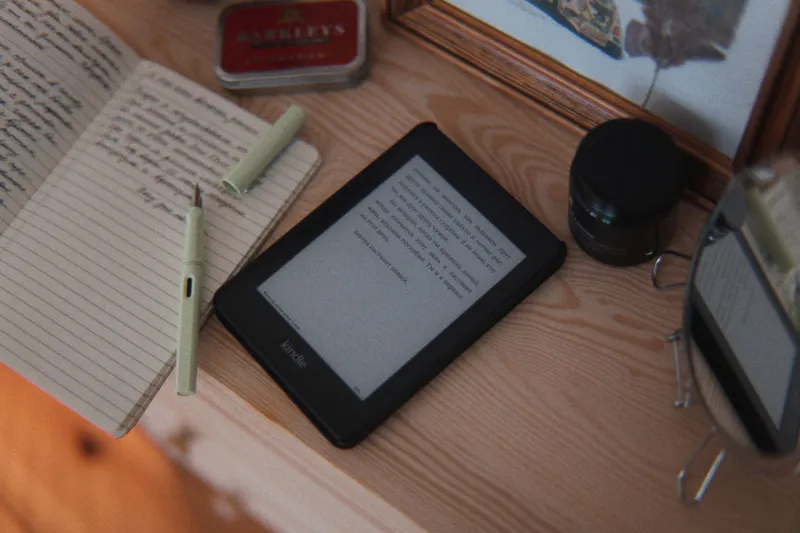
Walk into any conversation about e-readers and someone will mention Kindle within thirty seconds. That's just the reality. Amazon's device has such a grip on American consumer culture that "Kindle" has basically become a synonym for the entire category — the way people say "Kleenex" when they mean any tissue brand.
But here's the thing: it's 2025, and the e-reader market has quietly gotten a lot more interesting. Kobo has matured into a serious alternative. PocketBook offers format flexibility that would make a librarian weep with joy. reMarkable has carved out a niche for readers who also want to write. And Kindle itself has splintered into so many sub-models that choosing the "Kindle" is its own research project.
If you're buying a dedicated reading device this year — or helping someone else pick one — here's the honest breakdown you actually need.
The Ecosystem Trap: What Nobody Warns You About Up Front
Before you compare screens and battery life, you need to understand something that device spec sheets conveniently leave out: every e-reader is also a gateway into a specific content ecosystem, and switching later is painful.
Kindle locks you into Amazon's store. That's mostly fine if you're an Amazon Prime member who buys books regularly — the integration is genuinely seamless, and Kindle Unlimited gives you a massive reading library for around $11.99 a month. But if you ever decide you want to leave the Amazon ecosystem, your purchased e-books don't come with you. They live in Amazon's cloud, readable only on Amazon's apps and devices.
Kobo, owned by Japanese company Rakuten, takes a different approach. It's deeply integrated with OverDrive and Libby, which means your public library's digital collection is accessible directly through the device without any workarounds. For American readers who rely on library borrowing — and given the waitlist situation at most US public libraries, a lot of people do — this is a significant practical advantage. Kobo also supports EPUB natively, which is the open standard format used by most publishers and indie authors outside of Amazon's orbit.
PocketBook goes even further on format support, handling EPUB, EPUB3, PDF, MOBI, FB2, DJVU, and a long list of others without needing conversion software. If you download e-books from multiple sources, run a small digital library, or want maximum flexibility in where you buy your content, PocketBook's compatibility is genuinely impressive.
reMarkable is a different animal entirely. It's less a traditional e-reader and more a digital paper notebook that happens to display e-books. Its ecosystem is built around documents, PDFs, and handwritten notes rather than commercial book purchases. If you annotate heavily, read a lot of professional or academic PDFs, or want one device that handles both reading and writing, it's worth serious consideration. But if you mostly read novels and want a frictionless fiction experience, it's probably more device than you need.
Screen Quality: Where the Real Differences Live
All of these devices use E Ink displays, which means they share the same basic advantage over tablets: no backlight glare, much easier on the eyes during long reading sessions, and battery life measured in weeks rather than hours.
That said, not all E Ink screens are equal.
The Kindle Paperwhite (11th generation) and the newer Kindle Colorsoft both deliver sharp, well-lit displays that hold up well in direct sunlight. The Colorsoft, Amazon's first color E Ink device, is genuinely interesting for illustrated books and comics, though the color rendering is still noticeably softer than what you'd get on a tablet. Worth it for some readers, not for others.
Kobo's Libra Colour and Elipsa 2E are competitive on screen quality, with the Libra Colour matching Amazon's color E Ink push. The physical page-turn buttons on the Libra models are a small but real ergonomic win for readers who find touchscreen-only navigation annoying during long sessions.
reMarkable 2 uses a textured screen designed to mimic the feel of paper, which sounds gimmicky but actually works. Writing on it with the stylus feels closer to a real notebook than anything else on the market. Reading on it is perfectly comfortable, though the lack of a warm light option may bother some users who read in bed.
PocketBook's InkPad Color 3 offers one of the larger color E Ink screens available, at 7.8 inches, which makes it a solid option for readers who want more real estate without jumping to a tablet.
Library App Compatibility: A Bigger Deal Than You Think
If you borrow e-books from your local public library — and American libraries have gotten remarkably good at digital lending — you need to check compatibility before you buy.
Kobo wins this category. Its native Libby integration means library books show up directly in your reading queue with minimal friction. No sideloading, no workarounds.
Kindle has historically been awkward with library books. Amazon and OverDrive have had an on-again, off-again relationship, and while Kindle devices can technically access library loans through Libby, the process involves more steps than it should. Amazon's recent moves suggest this may improve, but right now Kobo is the cleaner experience for library readers.
PocketBook supports Adobe DRM, which means it can handle library loans from OverDrive and similar services, but you'll need to set up an Adobe ID and do some manual configuration. Not impossible, but not plug-and-play either.
reMarkable doesn't have meaningful library integration. It's built for personal documents and PDFs, not library lending workflows.
So Which One Should You Actually Buy?
Honestly, it depends on your reading life — and that's not a cop-out answer.
Buy a Kindle if you're already deep in the Amazon ecosystem, shop at Amazon regularly, and want the most seamless experience for purchasing and reading commercial e-books. The Paperwhite is the sweet spot for most readers. The Colorsoft is worth the premium if you read illustrated content.
Buy a Kobo if you're a heavy library borrower, care about open formats, or want to support a non-Amazon option without sacrificing quality. The Libra Colour is particularly well-rounded.
Buy a PocketBook if format flexibility is your top priority — you pull books from multiple sources, deal with a lot of PDFs, or have an existing collection in various formats you want to read without converting files.
Buy a reMarkable if you're as much a note-taker and annotator as you are a reader, and you want one device that handles both without compromise.
The Kindle is a great device. But it's not automatically the right device. The best e-reader for your reading life is the one that fits where you get your books, how you borrow them, and how you actually use the thing once it's in your hands. In 2025, you've got real options — and you deserve to know what they are before you hand over your credit card.